Input
- Binary or text files and an optional .sha256 manifest
Fidument Tools · Beta version
Calculate file SHA-256 checksums, create a manifest or verify against an existing .sha256 file.
How do I check whether files arrived unchanged?
Select up to 12 files with distinct names.
Use the manifest field for an existing GNU-format .sha256 file. Leave it empty to create a new manifest.
Choose Run and download checksums.sha256 or checksum-report.json. The report distinguishes matches, mismatches, missing and unexpected files.
Select the files you have. The report will also show manifest entries that were absent from the selection.
A check finds the expected checksum for sample.txt and reports that missing.bin is listed in the manifest but absent from the selected files.
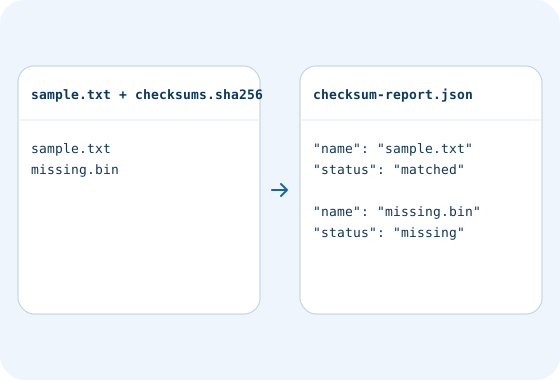
It shows that the file bytes match the reference checksum. The origin of the manifest determines whether that reference is trusted.
Compare two SAML files. Review added, removed and retained certificate fingerprints, roles and service endpoints.
Convert Windows-1250, ISO-8859-2 or UTF-16 to UTF-8. Select the source encoding and optional BOM.
Check access and export conditions in the app. A product description does not grant access.