Input
- Two SAML 2.0 metadata XML files
Fidument Tools · Beta version
Compare two SAML files. Review added, removed and retained certificate fingerprints, roles and service endpoints.
What changed in SSO metadata after a certificate rotation?
Choose the previous SAML metadata file in Previous XML.
Choose the updated file. The tool compares identifiers, roles, endpoints, bindings and SHA-256 certificate fingerprints.
Choose Run and download saml-change-report.json. Review added, retained and removed entries separately.
After saving the report, check the active keys at the IdP and SP. A certificate can be published in metadata before it becomes active.
The updated metadata retains an old signing certificate, adds a new one and changes an assertion consumer service URL.
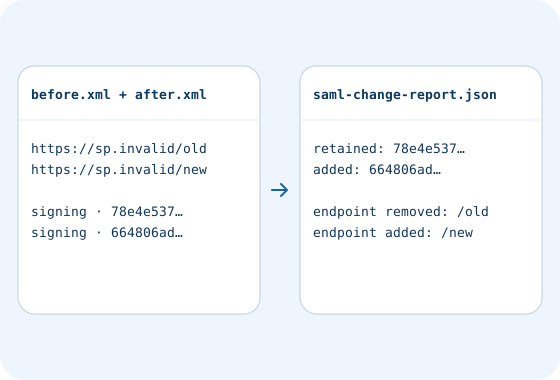
Compare its SHA-256 fingerprint and declared use, such as signing, with the identity provider's records.
Calculate file SHA-256 checksums, create a manifest or verify against an existing .sha256 file.
Compare an .env template with one or two environments. Find key differences without exposing their values.
Check access and export conditions in the app. A product description does not grant access.