Input
- UTF-8 HAR file
Fidument Tools · Beta version
Create a timings-only HAR from a browser network export. URLs, headers, cookies and bodies are omitted.
How can I show support request timings without sending session data?
Save the browser network log as a HAR file and select it in the tool.
Choose Run. The tool keeps timing measurements and gaps between entries and assigns placeholder URLs.
Download timings-only.har. Open it in a HAR viewer and check whether the timing data is sufficient for the investigation.
Use the output to compare timings. Reproducing a request depends on which details you choose to share separately.
Two entries retain their send, wait and receive times. Sample addresses become redacted.invalid/request/1 and /request/2.
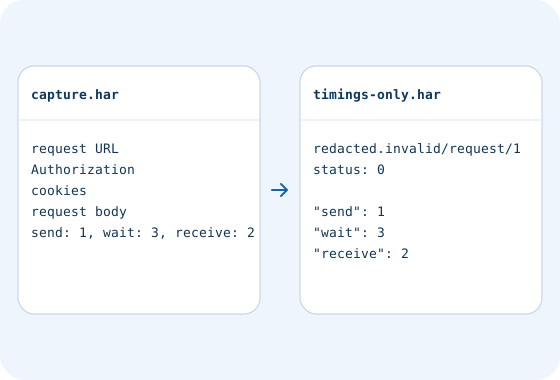
The result uses placeholder status 0. If the status is needed, communicate the number separately using an appropriate channel.
Format JSON with indentation or compact output. Check the syntax and download a file.
Calculate file SHA-256 checksums, create a manifest or verify against an existing .sha256 file.
Check access and export conditions in the app. A product description does not grant access.